
The Convert Assistant is an AI-powered feature that can analyse incoming data in the Data Manager and suggest the most appropriate data type for each column (e.g., Email, Phone Number, DateTime). Here’s how it works:
1. Start setting up a Dataflow with your data organised into columns.
2. Review the suggestions, make adjustments if needed, and save them as converted columns (to be mapped to your schema’s columns).
3. Let the Convert Assistant analyse the data and suggest data types for each column.
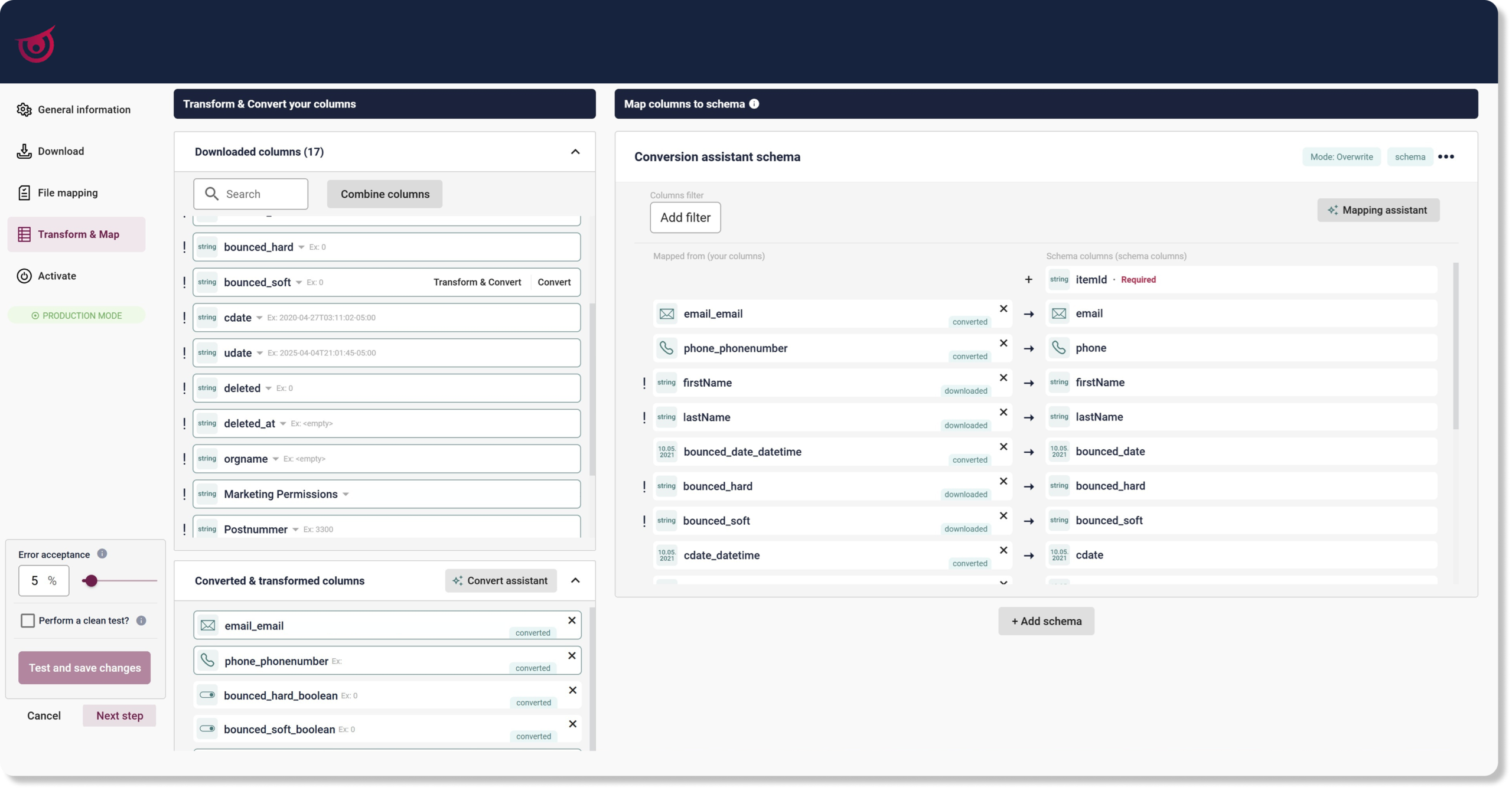
Although manual configuration is still available, there’s no longer a need to define data type conversions from scratch when ingesting data into the Data Manager. This helps reduce repetitive work and lower the risk of inconsistencies.
By ensuring your data is clean and consistently mapped from the start, you also improve the reliability of other Raptor features such as Audiences and Recommendations.
Any questions or feedback? Don’t hesitate to get in touch at [email protected].